I ran Codex Security against my site twice: once in early June and again in early July. This was not a lab benchmark. The repo changed between scans, dependencies were updated, and I fixed issues from the first run before starting the second. The number of findings is useful context, but it is not a clean product comparison.
The useful part was seeing how the experience changed. In June, most of the review lived inside the agent transcript. In July, it felt much closer to an actual security review workflow, with a workspace, visible progress, a threat model, a findings view, exportable artifacts, and a clearer path from "this looks risky" to "this is what I need to fix." That matters because a security tool can produce a long, impressive report and still leave you with too much translation work. What I care about is whether it helps me take the next engineering step.
Why I ran it twice
My website is a good personal test case because I can understand the whole thing, but it is not just a static brochure. It is a public portfolio and blog built with Next.js, MDX content, generated metadata, a search route, a contact form, and a few maintenance scripts. That is not a huge application, but it still crosses real security boundaries: public visitors can submit data, content becomes HTML, metadata is rendered into the page, and local tooling can fetch remote assets and write files.
The June scan came after a round of dependency and package work. I wanted to know what was left once the obvious package hygiene was handled. More specifically, I wanted a repository-grounded review that looked at application behavior and trust boundaries, not just vulnerable package versions.
The first pass found real work. It reported 11 medium-or-low findings, plus one candidate that stayed deferred because the checked-out repository did not contain enough evidence to prove current exploitability. It also produced a useful artifact bundle: Markdown and HTML reports, reviewed-surface notes, validation details, and attack-path writeups.
The result was valuable, but it was also a lot to follow. Much of the experience lived in the transcript: worker rounds, merge steps, validation passes, and artifact generation. If you were not watching closely, it could be hard to tell where the scan was in the process or how close it was to a usable answer. The July run was noticeably easier to follow.
What changed in the product experience
The most obvious improvement in Codex Security was the workspace and interactiveness. Instead of relying on chat updates to understand what was happening, the July scan opened a Codex Security view with explicit progress stages. I could see the scan move through preparation, attack-surface mapping, code review, validation, impact tracing, and report generation.
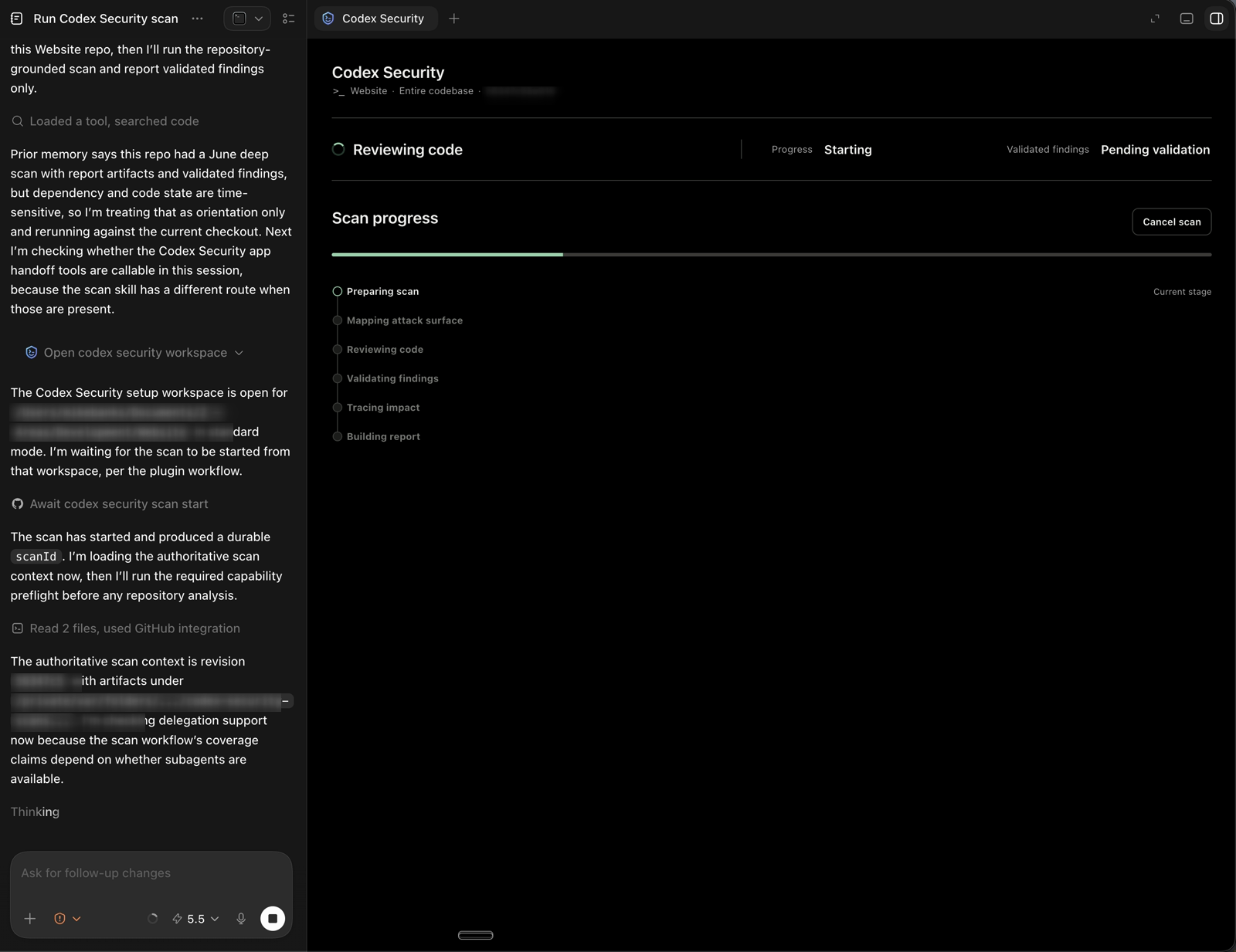
That may sound like a small UI change, but it made the scan easier to trust. Security reviews have a lot of quiet time. When the tool tells you what phase it is in, you spend less time wondering whether it is stuck and more time waiting for the right handoff point.
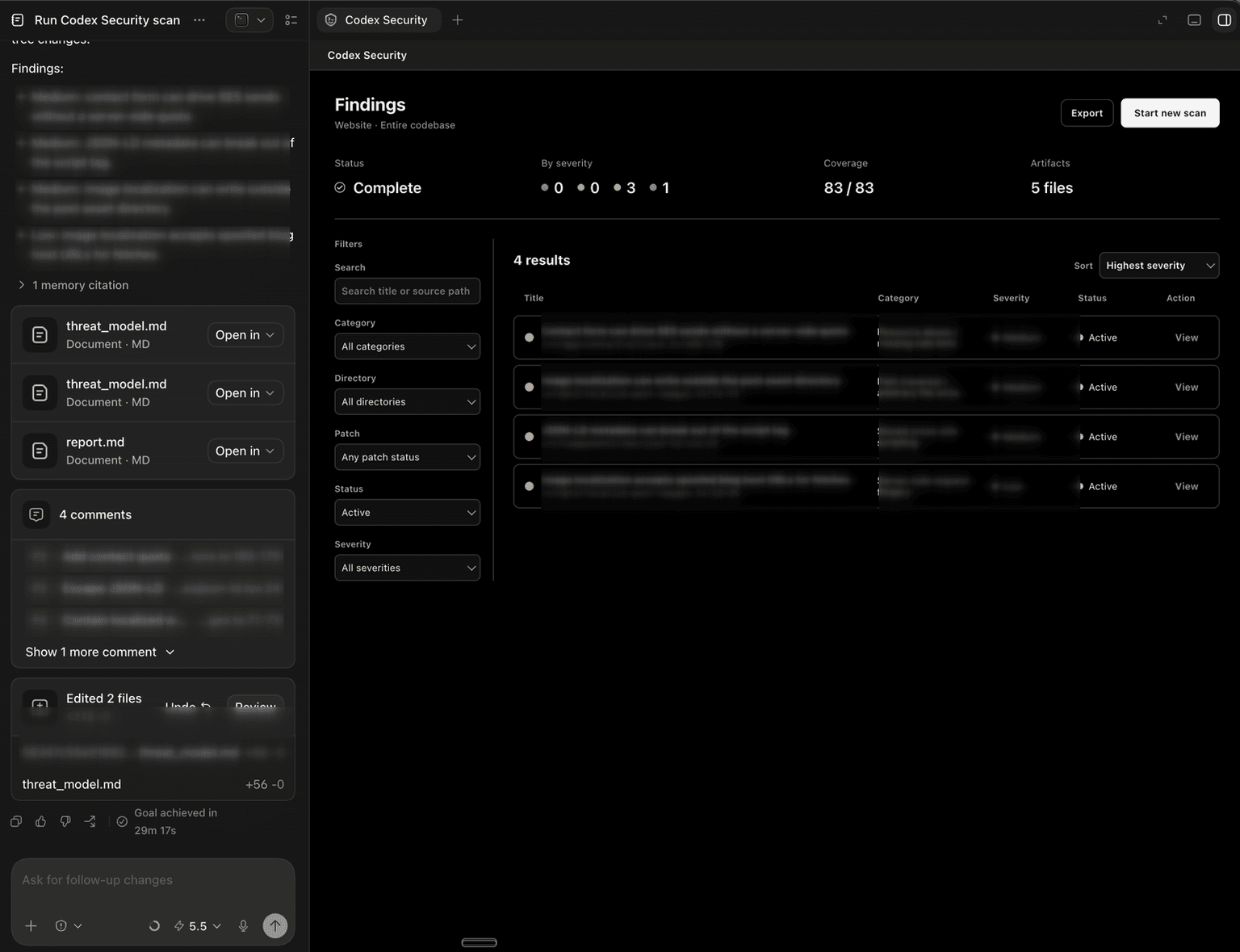
The second visible improvement was how findings were presented. The July run produced a findings page with status, severity counts, coverage, artifacts, filters, sorting, and per-finding actions. The detailed finding text is redacted in the screenshot below, but the workflow shape is the important part. Findings were no longer just bullets in a final chat response; they were things I could review, sort, open, and turn into work.
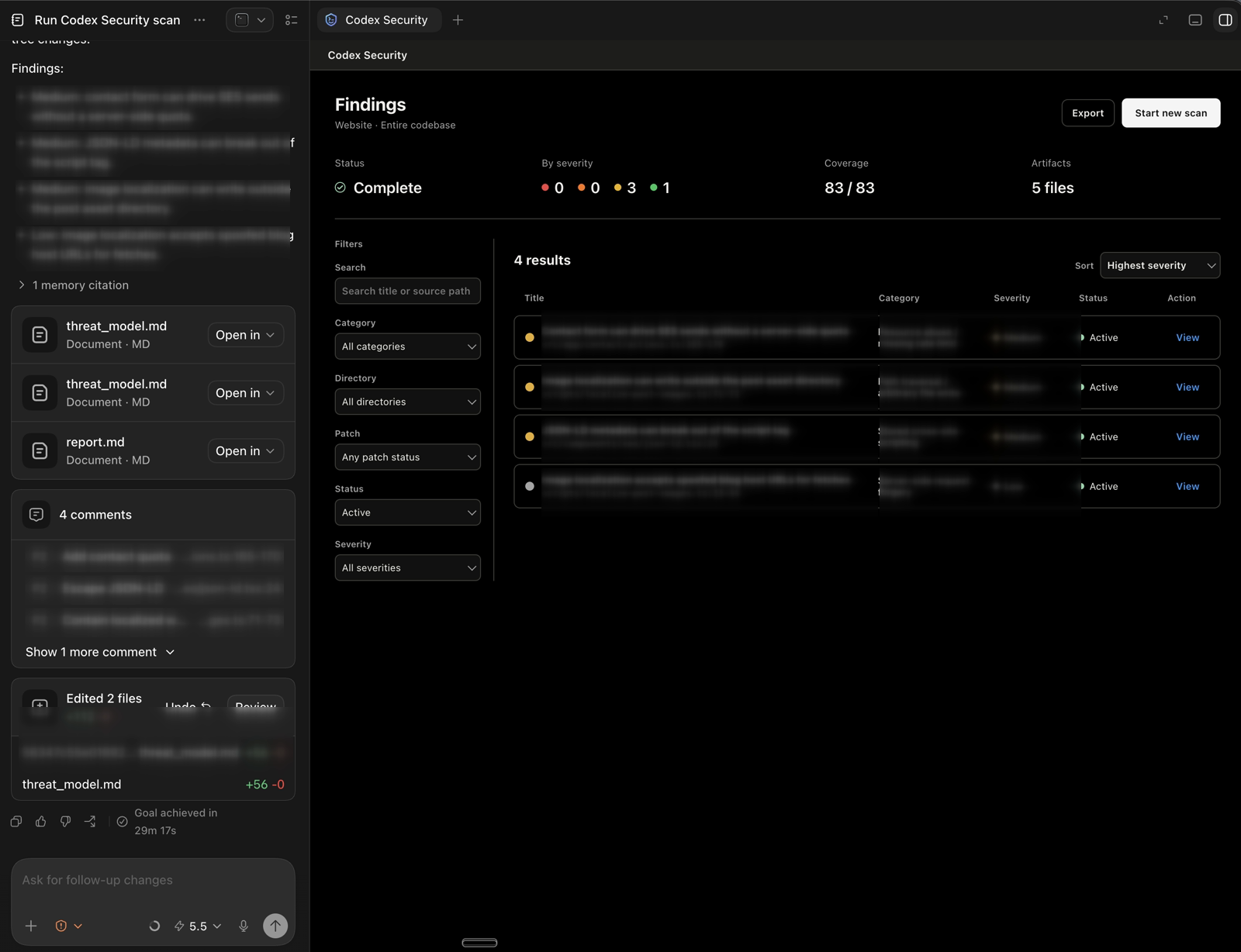
This changed the handoff. The report was still there when I wanted the full record, but the findings view made the output easier to act on day to day. It also made the fix path feel more direct. I could review the findings, turn them into code comments, make the fixes, add tests, and push the work through the normal repository flow. That is the part I care about most. A security tool that produces an impressive report is fine. A security tool that helps turn findings into boring, verified engineering work is much better.
The threat model got better
The June scan was exhaustive. It used a large generated worklist and repeated worker discovery rounds before converging on validated findings. That gave it breadth, but the process felt more like a deep research pass than a guided review. The July scan put the threat model much closer to the front of the process.
It identified the site as a public portfolio and blog with a small number of security-sensitive workflows. It called out the public visitor boundary, the contact-form flow, content and SEO metadata, generated feeds, and local maintenance scripts. It also separated what the repository could prove from what would require provider configuration or live infrastructure evidence.
The distinction matters. Good security review is not just pattern matching. It has to ask practical questions:
- What are the assets?
- Who can influence the inputs?
- Where do trust boundaries exist?
- What sinks or side effects matter?
- Which risks are real in this repository, and which are only hypothetical without more evidence?
The July run made those assumptions explicit earlier. It also made suppression decisions easier to understand. Some issues were treated as hygiene or non-reportable because the repository did not expose a convincing public path. Others survived because there was a clear source, boundary, sink, and impact. That is much closer to how I want security review to work.
Fewer findings, better signal
The headline number changed from 11 findings in June to 4 findings in July. I would not frame that as "Codex Security got better because the number went down." That is too simple. The codebase changed during the month, and I had already fixed or reduced several classes of risk. The more interesting part was that the July run felt better calibrated.
The findings clustered around practical application-security themes: public workflow abuse controls, safe rendering of metadata, and safer handling of URLs and filesystem writes in maintenance tooling. I am intentionally keeping that description high-level because the goal of this post is not to publish a playbook for the specific issues.
The important point is that these were not dependency-alert findings. They were logic and trust-boundary findings, which is exactly the category that tends to slip past normal package hygiene. This is where AI-assisted security review starts to become useful. It can connect code paths, inputs, outputs, assumptions, and operational behavior in ways a package audit simply cannot.
Tools like Dependabot are necessary, but not sufficient
First off, dependency alerts are useful. They catch known vulnerable packages, keep maintenance visible, and create a baseline hygiene loop. I had dependency work in this repository around the same period, and I would not want to manage a modern JavaScript app without that signal. But Dependabot is not a security review.
It does not know whether a public contact form can drive a costly side effect. It does not understand whether generated metadata is safe in the place where it is rendered. It does not reason about whether a maintenance script should trust a URL before fetching it. It does not know whether a path derived from content stays inside the directory you intended. Those are application questions. They require code review, threat modeling, tests, and sometimes a tool that can walk the repository with security context instead of only matching package versions to advisories.
What I took away
The biggest improvement from June to July was not that the report looked nicer, although it did. It was that the workflow gave me a clearer path to action. The July run had a clearer beginning, middle, and end: build a threat model, review the code, validate findings, trace impact, produce artifacts, and make the findings actionable. That is much closer to the shape I want from an AI-assisted security tool.
I also came away more convinced that teams should build scanning and review into their normal engineering rhythm, not as a panic button and not only after a dependency alert, but as a recurring check on how the code actually behaves. For a small personal site, that might mean a monthly scan, focused regression tests, and a manual read of the highest-risk paths. For a larger team, it might mean recurring threat-model updates, automated dependency monitoring, application-security review on risky changes, and periodic deeper scans.
The exact tooling matters less than the habit. Run Dependabot, keep packages current, but do not stop there. Review the code you wrote, the workflows you expose, the scripts you run, and the assumptions your application makes about trust. That is where the interesting findings usually live.