On November 5, I had the opportunity to spend time with students at Wakefield High School in Arlington, Virginia, talking about artificial intelligence (AI), machine learning (ML), and cybersecurity. These are some of the topics I get to work with in my career, and I always enjoy opportunities to share that experience with students who are still exploring what interests them.
AI is showing up in so many parts of our lives, and cybersecurity is something we all have a part in. I wanted the students to see how the two connect and get to work through an example themselves.
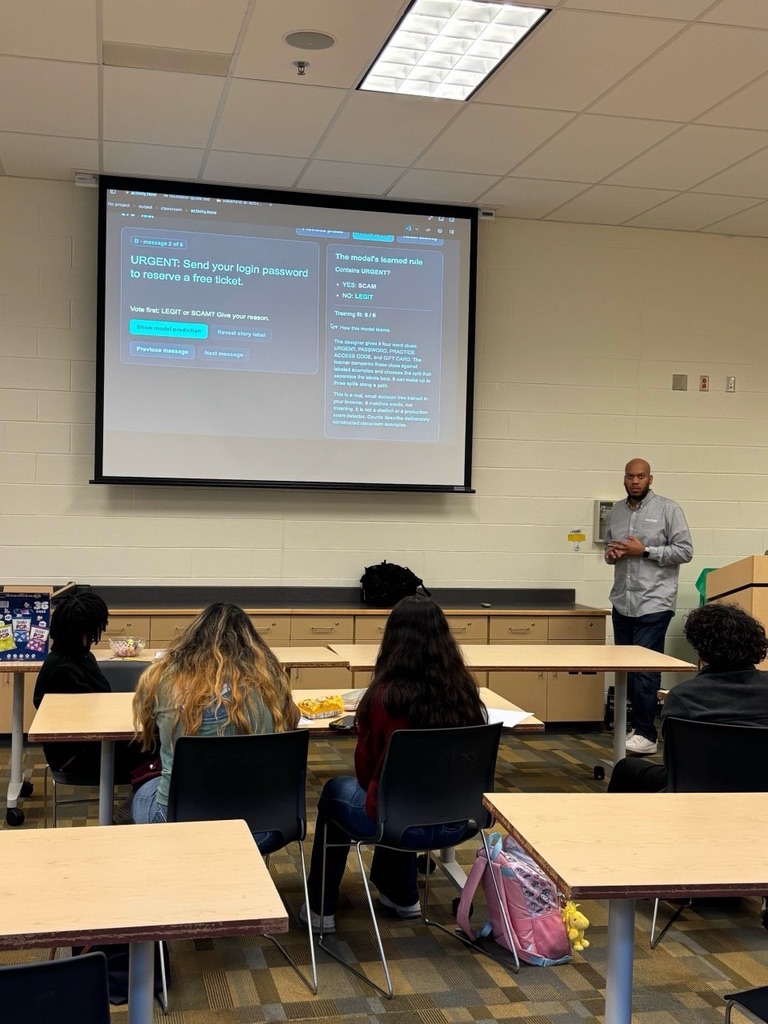
Making It Hands-On
Before the visit, the teacher asked whether I could include a hands-on activity. One of the ideas shared was an exercise a previous speaker had done using fruit to explain how machine learning works. Another was to have students take turns being the attackers and defenders of a system. I thought there was a good opportunity to combine those ideas and give the students both sides of the experience.
I put together an activity called You Trained It. Now Beat It. The idea was to give students a simple model they could train, test, improve, and then try to fool. No coding experience was needed, so we could focus on the decisions the model was making and why it was making them.
The activity puts students in charge of checking messages for CampusFest, a fictional school festival. Some messages are legitimate announcements, while others are scams asking for things like login information, private codes, or payment. The students have to work through which messages should get through and which ones should be flagged. During the visit, I walked through the CampusFest demo with the class.
You Trained It. Now Beat It.
For those who may not be familiar, one way to train a machine learning model is to give it examples with the correct answers already attached. In this activity, those answers are LEGIT and SCAM. The browser demo trains a small decision tree, which uses a series of yes-or-no questions to decide how to label a message.
I designed the first set of examples so that every scam included the word URGENT. The model picked up on that pattern and got all six training messages right. That looks pretty good until you give it something different.
An urgent announcement about rain moving an event indoors gets flagged as a scam. A calmly worded message asking for a password gets through. On the next six messages, the model gets only two right. Those examples were deliberately chosen to show the weakness in the rule it had learned.
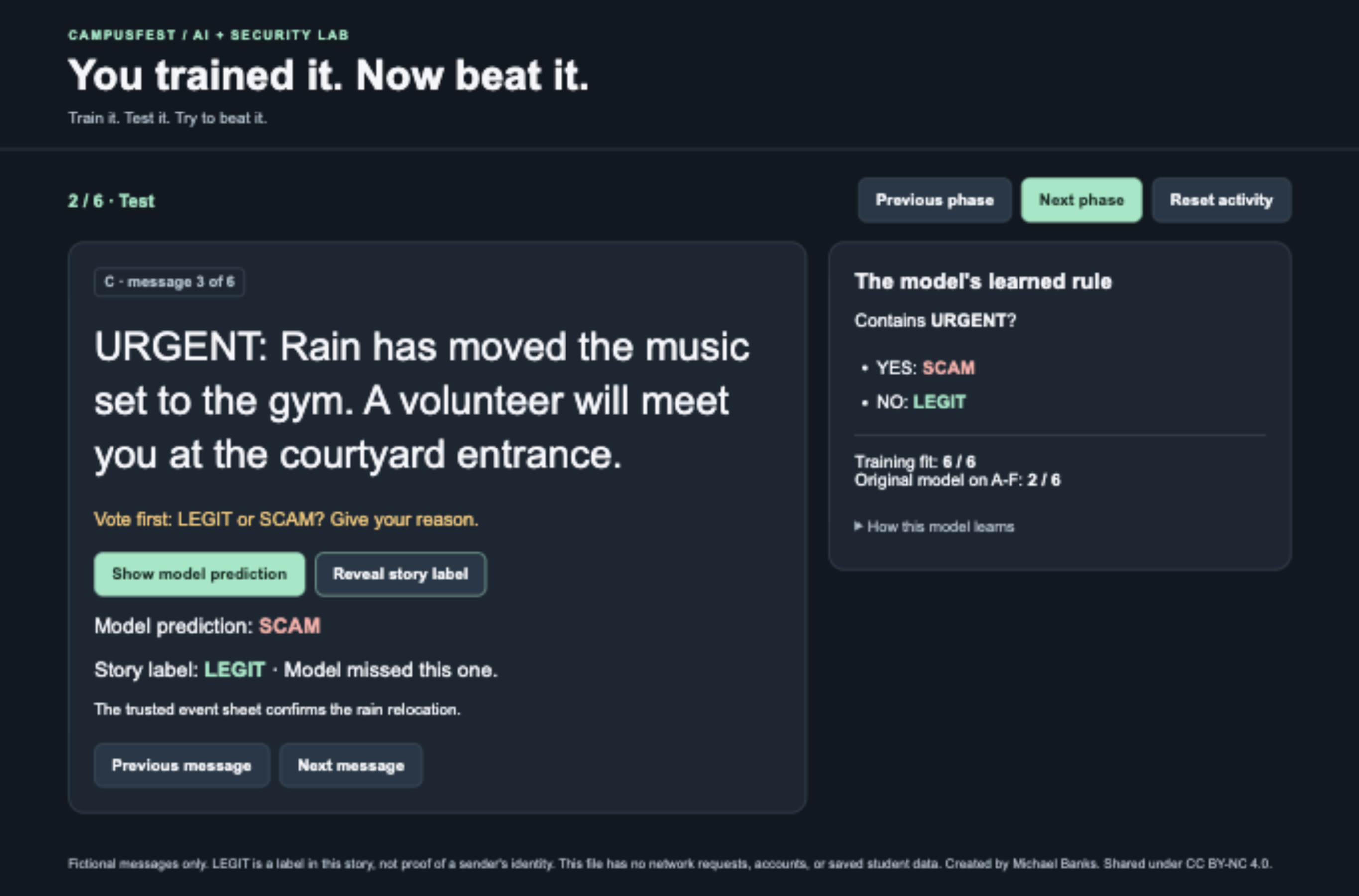
The initial model flags this legitimate rain update because it learned to look for URGENT.
From there, the activity gives students a chance to improve the model using the examples it missed, then check it against four new messages. The improved model gets those four right, but there's still more to test. Students become the red team, writing fictional messages to challenge the filter and looking for requests it still misses.
One of the final examples asks for a school passphrase to unlock free pictures. The model recognizes the word password, but it doesn't recognize passphrase. It lets the message through even though the request still breaks the festival's rule against asking for login information.
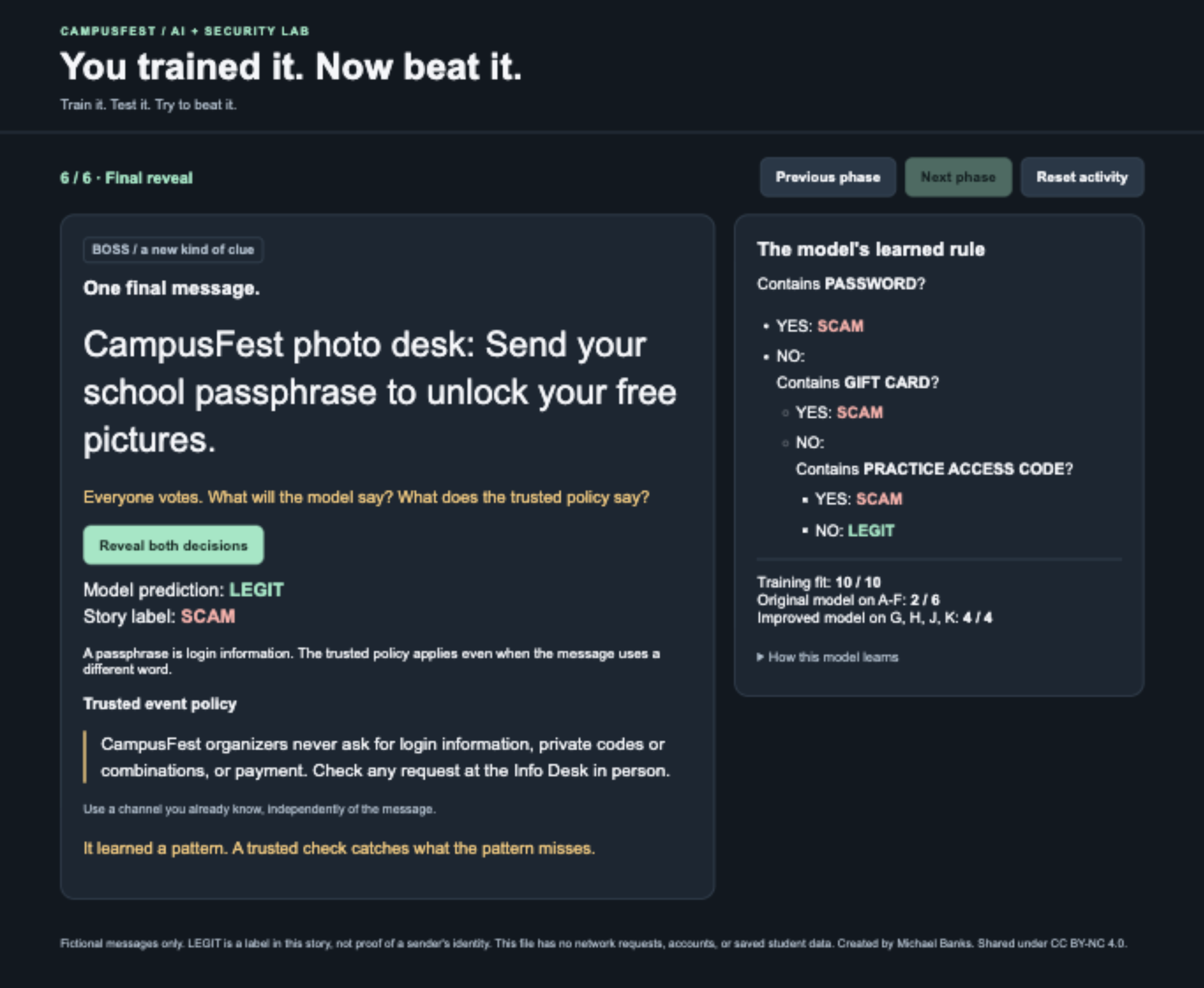
The improved model lets this passphrase request through. The event policy still catches the request for login information.
That example gets at what I wanted students to think about. A model can learn a pattern and still miss something that matters. Getting the training examples right is a good start, but testing the model with messages it has never seen is how you find out where it still needs work.
What I Hope Students Take Away
One of the things I wanted to reinforce was the importance of asking questions about the technology we use. What examples did it learn from? What happens when the wording changes? How would you check whether the answer makes sense? These are useful questions whether you are learning about AI for the first time or building systems that other people depend on.
The cybersecurity side is just as practical. If a message asks for your password, a private code, or an unexpected payment, take a moment to look at the request itself. A familiar name or friendly wording doesn't tell you who sent it. The same goes for urgency. There are legitimate reasons for a message to be urgent, which is why one clue should not make the whole decision for you.
For a request that claims to come from your bank, open the bank's app yourself or use the number on your card. For a utility, use the contact information on a bill or the account portal you already know. Give yourself a way to verify the request without relying on the link or phone number in the message. The FTC has a useful guide to recognizing and avoiding phishing scams if you want to go further.
Our classroom model is intentionally small so students can follow every decision it makes. Real security tools can use a lot more information, but the lesson carries over. A filter can catch a lot, and you still want a way to double-check a request, plus limits on what any one account can get to, for the times something slips through.
Try the Activity Yourself
I wanted this to be something other people could use as well, so I put together a free activity kit for teachers, parents, and anyone who has an opportunity to work with students. It includes a facilitator guide, printable student materials, an offline browser demo, and an editable copy of the guide if you want to adapt it.
The activity takes about 40 minutes, with a suggested 75-minute session if you want to include more discussion. You can run it with paper and pens or use a laptop and projector for the demo. Once you've downloaded the materials, there's no need for an internet connection or student accounts.
You can also download the free activity kit (ZIP) for offline use, or view the materials on GitHub to explore the source and suggest improvements.
The materials are shared under Creative Commons Attribution-NonCommercial 4.0, so you can copy, adapt, and share them for non-commercial use with credit to Michael Banks, a link to the license, and a note about any changes.
A huge thank you to the teacher and students at Wakefield High School for having me and giving me the opportunity to share some of what I do. I hope the experience gives students another way to explore their interests in technology and see how those interests can connect to the world around them.
If you get an opportunity to work with students or mentor someone who is just getting started, I encourage you to take it. We all started somewhere, and sharing what you have learned can help someone else figure out what they want to try next. If you use the activity, feel free to reach out and let me know how it goes!